Affiliate Disclosure: Some links in this post are affiliate links. If you buy through them, we may earn a commission at no extra cost to you.
You have read about UpViral and you like the idea: run a giveaway or “refer a friend” campaign, and let your audience share it for you. But before you pay, you have practical questions. Will it work with my email tool? Are there templates? Can I see a demo? Is there a coupon?
This guide answers all of those in plain words, so you know exactly what you are getting before you sign up.
Quick Answer
| Email integrations | Mailchimp, ActiveCampaign and others, plus thousands more apps through Zapier |
| Other integrations | HubSpot, Salesforce, Shopify, Google Analytics, Facebook Ads, Make and a public API |
| Templates | Ready-made templates for contests, giveaways and referral campaigns, plus email templates |
| Demo | The best “demo” is the 14-day trial for $1, plus preview and test modes |
| Coupon | No official public coupon found. The real savings are the $1 trial and about 20% off yearly plans. |
What UpViral Does (in One Minute)
UpViral helps you run campaigns where people share your offer to earn rewards. Someone signs up for your giveaway or free guide, gets a personal link, and earns points or prizes when friends sign up through it. Each new person can bring more people, so your campaign can grow on its own.
For the full picture, read our UpViral review. This guide focuses on the practical details.
UpViral Integrations
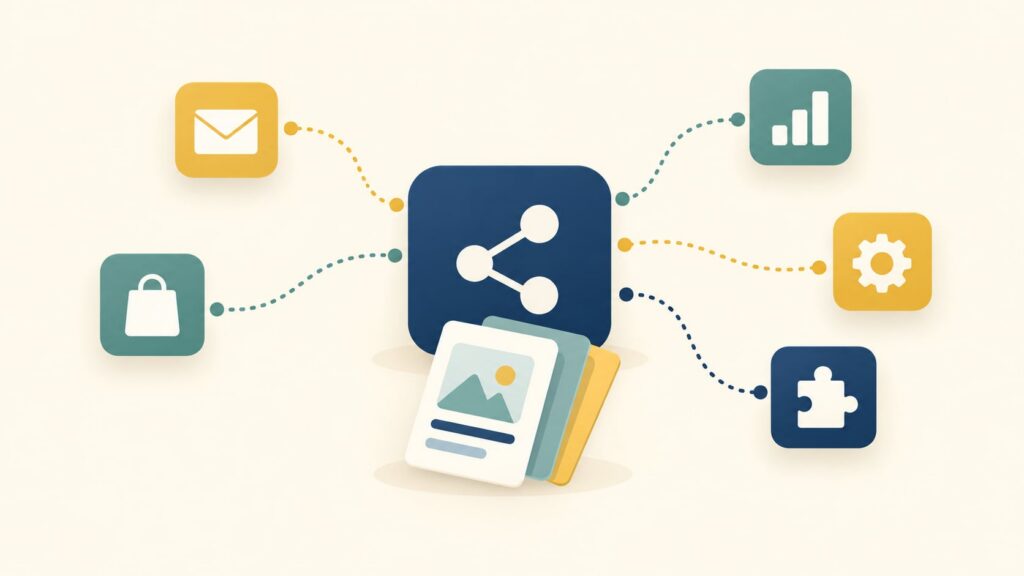
Integrations are connections between UpViral and the other tools you use. They matter because UpViral collects leads, but you need other tools to email those leads, track results or reward buyers.
| Type | Tools | What it does for you |
|---|---|---|
| Email marketing | Mailchimp, ActiveCampaign and others | New signups go straight onto your email list |
| CRM | HubSpot, Salesforce | Leads land in your sales system with their details |
| Automation | Zapier, Make | Connect UpViral to thousands of other apps without code |
| Ecommerce | Shopify | Run campaigns for your online store |
| Analytics | Google Analytics | See campaign traffic next to the rest of your site data |
| Ads | Facebook Ads | Track and retarget people from your campaign |
| Social sharing | Facebook, X (Twitter), LinkedIn, WhatsApp | One-click sharing buttons for participants |
| Developers | Public API, embed codes, custom HTML and CSS | Build custom setups or embed campaigns on your site |
What if my email tool is not listed?
Use Zapier or Make. They act like a bridge between apps. For example, you can set it up so every new UpViral signup is added to your email tool automatically. Check that your tool is on Zapier or Make before you start your trial.
Integration checklist before you buy
- Find your email tool in UpViral’s list, or on Zapier or Make.
- Decide which list or tag new leads should go to.
- Plan your welcome email, so people get their reward right away.
- Add Google Analytics so you can measure results.
UpViral Templates
Templates save you from building pages from scratch. UpViral includes:
- Contest templates for competitions with a winner
- Giveaway templates where people earn entries for signing up and sharing
- Referral templates where people earn rewards for each friend they bring
- Email templates for invites, reminders and reward notices
You edit them with a drag-and-drop editor, so you can change text, images and colors without coding. If you know some code, you can also add your own HTML and CSS. You can add your own branding to the pages, emails and widgets.
Reward options you can use
- Points for each signup or share
- Discounts and coupons
- Physical prizes
- Cash prizes
- Several reward levels in one campaign, for example a bonus at 3, 5 and 10 referrals
5 UpViral Contest and Campaign Ideas You Can Copy
1. The milestone freebie
Give away a free guide. Unlock a bonus checklist at 1 referral, a template pack at 3, and a mini-course at 10. The first reward is easy, so most people share at least once.
2. The launch waitlist
Before you launch a product, open a waitlist that shows each person their spot in line. Each referral moves them up. The top 100 get early access or a discount.
3. The niche giveaway
Give away a prize your ideal customer wants, like your own product or a tool they use. Avoid generic prizes like gift cards, which attract people who only want free stuff.
4. The refer-a-friend discount
For an online store, give both the customer and their friend a discount when the friend buys. Everyone wins, so people share happily.
5. The leaderboard challenge
Run a short contest, like 7 days, where the top sharers win prizes. A public leaderboard makes it feel like a game.
Want the thinking behind these? Our viral marketing strategy guide explains how famous companies used referral loops.
Is There an UpViral Demo?
The easiest way to see UpViral in action is to try it yourself. UpViral offers a 14-day trial for $1 that lets you build a campaign, test sharing and look at the analytics. That is better than a video demo, because you see how it works with your own offer.
UpViral also has preview and test modes, so you can check a campaign before it goes live. And if you pay after the trial and change your mind, UpViral offers a 30-day money-back guarantee.
How to run your own demo in 14 days
- Day 1: connect your email tool and pick a template.
- Day 2: set your rewards and test the campaign in preview mode.
- Day 3: launch to your email list or social followers.
- Days 4 to 12: watch the analytics. How many signups came from referrals?
- Day 12: decide if you keep it, before the full price is charged.
UpViral Coupons and Bonuses: The Truth
Search for “UpViral coupon” and you will find lots of sites promising big discounts. Be careful. We did not find any official public coupon code from UpViral. Many coupon sites just send you to the normal sales page, or list codes that do not work.
The real ways to save are simple:
- The $1 trial lets you test for 14 days almost free.
- Yearly billing saves about 20 percent compared with paying monthly.
- The 30-day money-back guarantee lowers the risk of paying.
Some affiliates also offer “bonuses” if you buy through their link, like extra templates or training. If you see one, check what the bonus really is and who delivers it. A bonus should be a nice extra, not the reason you buy.
You can see every plan and price in our guide to UpViral pricing.
Other Features Worth Knowing
- Fraud protection blocks fake referrals, so cheaters do not win your prizes.
- GDPR tools help you collect consent and manage privacy.
- Exportable reports let you download your data as a CSV file.
- Team access lets you add team members with different permissions.
- Pause and resume campaigns without losing data.
- Mobile-friendly pages and dashboard.
The Bottom Line
UpViral connects to the tools most marketers already use, either directly or through Zapier and Make. It comes with templates for contests, giveaways and referral campaigns, and the $1 trial works as a hands-on demo. Skip the fake coupon sites. The trial, yearly discount and money-back guarantee are the real ways to save.
Frequently Asked Questions
Does UpViral integrate with Mailchimp?
Yes. Mailchimp and ActiveCampaign are both supported, and other email tools can connect through Zapier or Make.
Does UpViral work with Shopify?
Yes. UpViral lists Shopify as an integration, so you can run campaigns for your online store.
Does UpViral have contest templates?
Yes. It includes templates for contests, giveaways and referral campaigns, plus email templates.
Can I get an UpViral demo?
The best demo is the 14-day trial for $1. You can also use preview and test modes before going live.
Is there an UpViral coupon code?
We did not find an official public coupon. Use the $1 trial and the yearly discount instead.